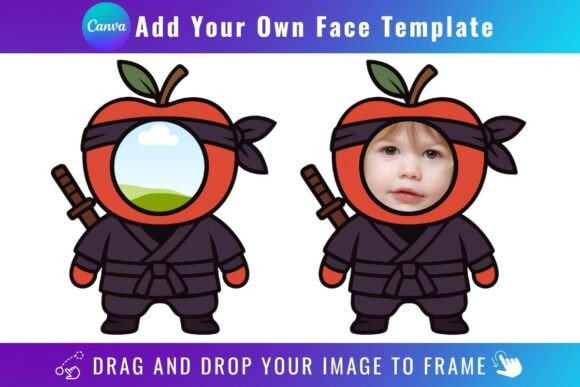
Knight Add Your Own Face: A Playful Twist on Creative Design
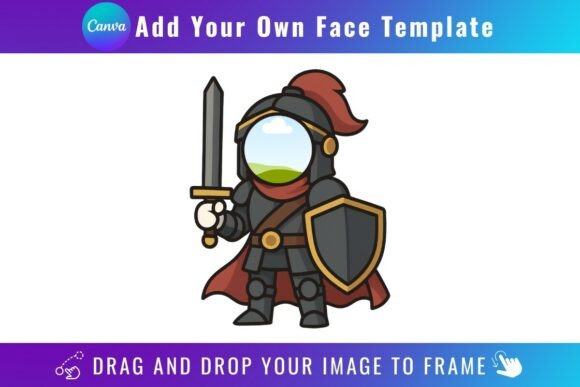
Sometimes a project needs more than just a standard typeface; it needs a distinct personality that captures attention instantly. The Knight Add Your Own Face Template is a unique digital asset that blends typographic structure with a canvas for your own imagery. It’s not a traditional font file you install, but rather a set of Canva frame templates that transform letters into editable picture frames. The result is a creative font effect where each character, numeral, or symbol becomes a window for a photo, texture, pattern, or graphic you provide. This approach offers a fantastic way to create personalized logo design elements, monograms, headlines, and social media graphics that feel one-of-a-kind.
The visual character of the Knight template is bold, blocky, and structured, reminiscent of classic serif font or slab serif styles but with a modern, customizable edge. The letterforms have a strong, sturdy presence, making them ideal for projects that demand impact. The real magic lies in its versatility. By dragging and dropping your own PNG or JPG background images into the frames, you can completely alter the font's mood. Fill the letters with a marble texture for a luxurious feel, a watercolor wash for an artistic touch, a cityscape for an urban vibe, or even a team photo for a sports-themed design. This makes the Knight Add Your Own Face Template a powerful tool for creating dynamic brand identity materials that can evolve with your campaign.
Practical Applications for Modern Creators
This template shines in scenarios where personalization and visual storytelling are key. For entrepreneurs and small business owners, it’s perfect for crafting unique product labels, packaging mockups, or event invitations that feature the owner's portrait or product imagery within the text. Bloggers and content creators can use it to design eye-catching YouTube thumbnails, Instagram story headers, or podcast cover art that stands out in a crowded feed. The ability to create these assets directly in Canva streamlines the workflow for those who may not be proficient in advanced design software.
Consider its use in editorial design and publishing. A magazine spread about a local hero could use the Knight template to feature the subject's face in the headline. A book cover for a memoir could incorporate a key symbolic image within the title text. For marketers and designers, it’s a valuable addition to your design assets for creating campaign-specific graphics that are both memorable and highly shareable. The template encourages a hands-on approach to modern typography, blending the craft of layout with the precision of a structured typeface.
Integrating Knight into Your Design Workflow
Working with the Knight template is straightforward, but a few practical considerations will ensure the best results. First, access requires a free Canva account. Once you open the template, you can click on any letter to upload and insert your chosen image. For the cleanest result, especially if you plan to use the letterforms as standalone elements on a colored background, you’ll want a transparent background. This feature is exclusive to Canva Pro or higher-tier plans. Without it, your exported letter will come with the default white or colored background from the template’s frame.
When selecting images for your frames, think about contrast and clarity. A busy, high-contrast image might make the letterform hard to read at smaller sizes. Simple textures, gradients, or high-contrast photographs with clear focal points tend to work best. Test your creations at various sizes to ensure readability, a fundamental principle of good web design and social media graphics. While the Knight template itself is a premium font concept delivered as a template, its value is in its direct applicability. It’s a commercial font solution for specific projects, not a replacement for your entire font library.
Key Considerations Before You Start
Before diving in, keep these important details in mind. The Knight Add Your Own Face Template is a digital product; no physical items are shipped. The provided PDF contains a direct link to the Canva templates. These templates are designed exclusively for use within Canva and are not compatible with SVG files or cutting machines like Cricut or Silhouette. This makes them ideal for digital and print projects created in Canva, but not for physical crafting that requires vector outlines.
Evaluating if this creative font style fits your project is crucial. Its bold, graphic nature makes it a display font best suited for titles, logos, and short, impactful text—not for body copy. Pair it with a clean sans serif font or a simple serif font for supporting text to create effective font pairing and maintain a clear visual hierarchy. The strength of Knight is in its ability to inject personality and create instant recognition. Use it where you want to make a strong first impression and tell a visual story within the very letters you use. It’s a specialized tool that, when used thoughtfully, can significantly elevate the professionalism and engagement of your designs.