Design Smarter with the Cross Wind Spinner Canva Mockup
In the fast-paced world of digital commerce, the difference between a sale and a scroll-past often comes down to presentation. You might have the perfect design for a garden decoration or a patio accessory, but if you are presenting it on a flat, white background, you are missing out on the emotional connection that drives purchases. This is where the Cross Wind Spinner Canva Mockup steps in. It is not just a static image; it is a dynamic tool designed specifically for creators who want to showcase their artwork with realism and flair without needing complex software like Photoshop.
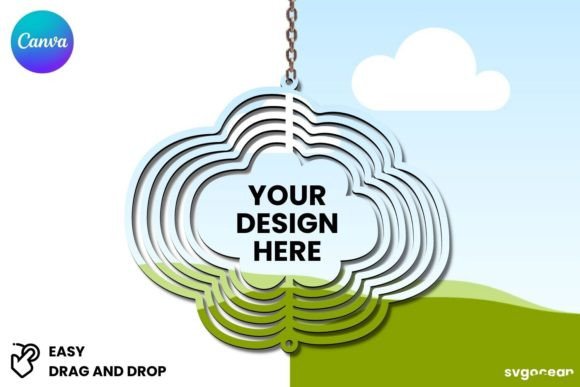
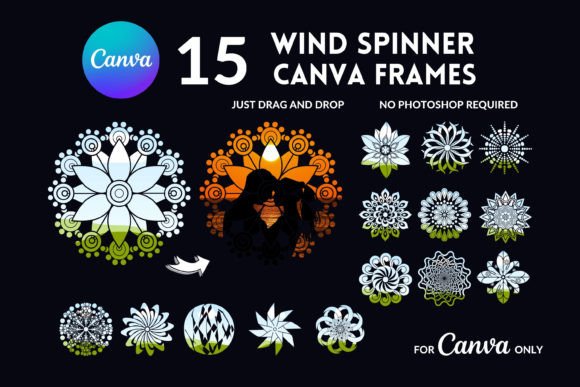
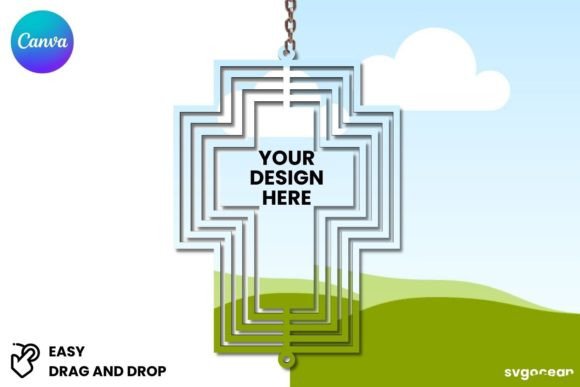
At its core, this product provides a customizable template that allows you to wrap your design around a cross wind spinner shape. For those unfamiliar, these spinners are those mesmerizing kinetic sculptures often found in gardens, creating the illusion of a sphere or complex shape spinning in the breeze. The mockup captures the specific curves and movement of this object, giving you a 3D perspective that flat images simply cannot achieve. It is an essential design asset for anyone in the niche of outdoor decor, personalized gifts, or unique promotional items.
The Visual Appeal: Movement and Realism
The primary strength of the Cross Wind Spinner Canva Mockup lies in its visual personality. It is designed to look tactile. The surface texture mimics the glossy or metallic finish often found on these physical products, allowing your graphic design elements to interact with light and shadow naturally. When you apply a mandala design, a family monogram, or a pet portrait to this template, it doesn't just look like a sticker pasted on a photo; it looks like a finished product ready to be hung.
This realism is vital for brand perception. If you are a small business owner selling on Etsy or Shopify, high-quality visuals signal professionalism. Using a premium mockup helps bridge the gap between your digital file and the customer’s imagination. They can see exactly how the design wraps around the object, how the colors pop against a garden background, and how the scale looks in a real-world setting. This visual clarity reduces buyer hesitation and increases the perceived value of your digital goods.
Practical Applications for Modern Creators
While the name suggests a specific product, the application of the Cross Wind Spinner Canva Mockup is surprisingly versatile. It is a powerhouse for social media graphics. Imagine running a targeted ad campaign for Mother’s Day or Father’s Day. A static image of a file download is uninspiring. However, a mockup showing a beautiful spinner dancing in the wind (even if simulated) captures attention immediately in a crowded feed.
Furthermore, this tool is invaluable for packaging design and editorial design. If you are writing a blog post about "Top 10 Personalized Garden Gifts," this mockup allows you to create custom illustrations that fit the article perfectly. It acts as a visual hierarchy anchor. By using the spinner as a focal point, you can guide the viewer's eye to the specific details of your pattern or typography.
Here are a few specific scenarios where this mockup excels:
- Etsy Sellers: Create listing images that show the "finished product" look for your seamless patterns.
- Graphic Designers: Present logo designs or monograms to clients in a unique, 3D format rather than just a flat PDF.
- Print-on-Demand Entrepreneurs: Test new designs on a niche product without ordering physical samples, saving time and inventory costs.
- Content Creators: Generate unique thumbnail images for YouTube videos or Pinterest pins that stand out due to the object's unique shape.
Seamless Integration and Customization
One of the biggest hurdles with high-end mockups is the technical barrier. Many require understanding layers, blending modes, and smart objects in Adobe Photoshop. The Cross Wind Spinner Canva Mockup eliminates this friction entirely. Because it is a Canva template, it operates within a browser-based environment that most creators are already comfortable with.
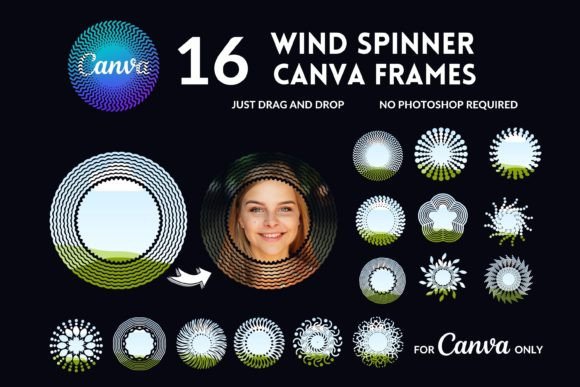
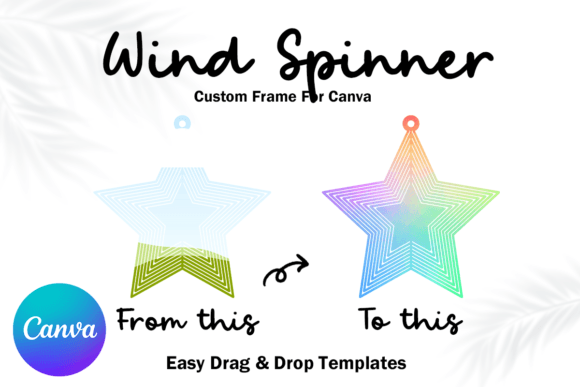
The process is intuitive. You upload your design, drag it onto the template, and use Canva’s native tools to adjust the position. The template is structured to handle the distortion required to make flat images look curved. This ease of use does not sacrifice quality; you are still working with high-resolution imagery suitable for web and print.
When working with the mockup, pay attention to readability. If you are applying text-based designs—such as quotes or names—ensure that the text is legible once it conforms to the spinner's shape. High-contrast colors generally work best here. The mockup allows you to experiment with color theory in real-time. You can instantly swap background colors or adjust the brightness of your overlay to see how it interacts with the simulated lighting of the spinner.
Elevating Your Brand Identity
Consistency is the bedrock of a strong brand identity. If you sell digital assets, your presentation style should be recognizable. By incorporating the Cross Wind Spinner Canva Mockup into your workflow, you add a specific "product line" to your portfolio that looks cohesive. When a customer visits your store and sees multiple designs presented on this same type of spinner, it creates a collection feel. It tells the buyer that you are a serious seller who invests in presentation.
Moreover, this mockup serves as a fantastic marketing tool for email campaigns. Instead of sending a plain text email announcing a new sale, you can embed an image created with this mockup. Visual emails have significantly higher click-through rates. The unique shape of the spinner acts as a visual hook, drawing the reader in to read the accompanying copy.
It is also worth noting the versatility for personal projects. If you are a crafter creating a gift for a friend, using this mockup to visualize the final result can help you refine your design before you even start the physical crafting process. It acts as a digital proof, ensuring that the proportions of your image work well on the three-dimensional surface.
Choosing the Right Asset for Your Workflow
When selecting design tools, it is important to choose assets that offer a high return on investment. The Cross Wind Spinner Canva Mockup is a premium font alternative in the world of product visualization—it offers a level of polish that free tools often lack. While it is not a typeface or a serif font, it functions similarly in your toolkit: it is a foundational element that elevates the typography and graphics you place on top of it.
Before purchasing, consider the specific style of the spinner. Does it match the aesthetic of your target audience? A rustic, weathered look might suit a farmhouse decor shop, while a sleek, shiny chrome finish might be better for modern geometric patterns. Review the included styles and ensure the background options provided in the Canva template align with your brand palette.
Ultimately, successful design is about solving problems. The problem of "how to show a digital design on a curved, moving object" is solved elegantly by this mockup. It empowers you to create web design assets, social media content, and product listings that look professional and engaging. By leveraging this tool, you are not just selling a digital file; you are selling a vision of the final product, and that is what converts browsers into buyers.
© All rights reserved.